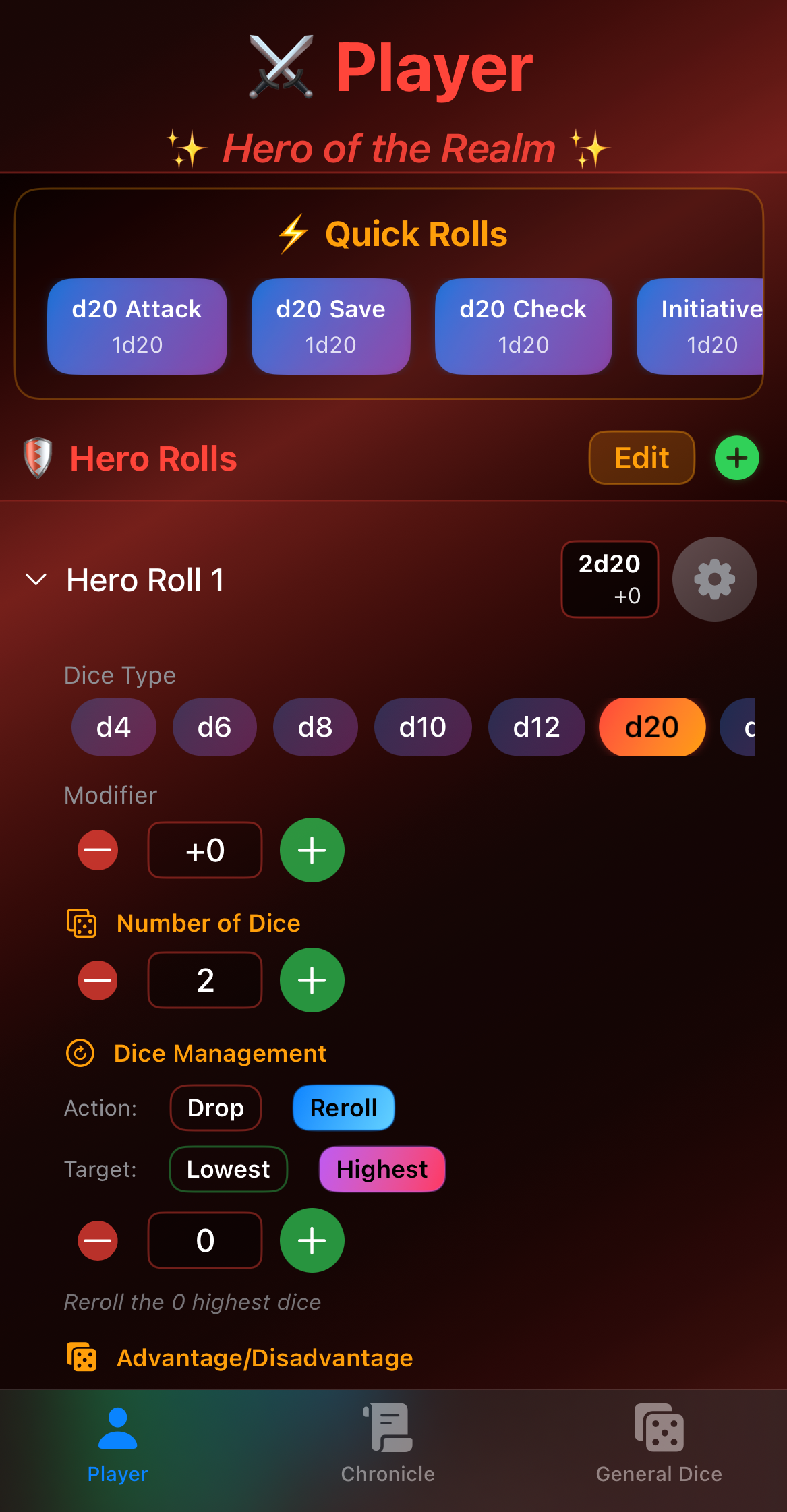
Mastering Quick Rolls for Efficient Gameplay
By Arthur D Masters & Tia
Nothing kills the momentum of an epic battle quite like a player fumbling with dice, calculators, and character sheets for two minutes trying to figure out their attack modifier. Enter Quick Rolls: the feature that will revolutionize your tabletop sessions.
What Are Quick Rolls?
Quick Rolls (also known as macros) are pre-configured dice rolls that you can execute with a single tap. Instead of manually selecting dice, entering modifiers, and configuring options every time you make an attack, you set it up once and then use it repeatedly throughout your sessions.
Think of Quick Rolls as your character's signature moves, ready to execute at a moment's notice.
The Power of Preparation
The key to effective Quick Roll usage is preparation. Spend 10-15 minutes before your session setting up your most common rolls, and you'll save hours of table time across a campaign.
For Players: Essential Quick Rolls
Every character should have these basics configured:
Combat Rolls:
-
Primary Attack: Your go-to weapon attack
- Example: "Longsword Attack" = 1d20+5
- Include the damage roll: "Longsword Damage" = 1d8+3
-
Secondary Attack: Backup weapon or offhand
- Example: "Shortbow Attack" = 1d20+5
- Damage: "Shortbow Damage" = 1d6+3
-
Spell Attacks: If you're a caster
- Example: "Fire Bolt Attack" = 1d20+7
- Damage: "Fire Bolt Damage" = 2d10
Defensive Rolls: 4. Saving Throws: Your three most important saves
- "Dexterity Save" = 1d20+4
- "Wisdom Save" = 1d20+6
- "Constitution Save" = 1d20+2
Skill Checks: 5. Top Skills: Your character's specialties
- "Stealth Check" = 1d20+8
- "Perception Check" = 1d20+5
- "Persuasion Check" = 1d20+7
Utility: 6. Initiative = 1d20+2 7. Death Saves = 1d20 (no modifier)
For Dungeon Masters: Essential Quick Rolls
DMs need a different set of quick rolls focused on NPCs and monsters:
Monster Attacks:
- Set up attack rolls for commonly used monsters
- "Goblin Scimitar" = 1d20+4 to hit, 1d6+2 damage
- "Orc Greataxe" = 1d20+5 to hit, 1d12+3 damage
Saving Throws: 2. Create saves for monster types you use frequently
- "Goblin DEX Save" = 1d20+2
- "Orc STR Save" = 1d20+3
Random Tables: 3. Set up rolls for your favorite random tables
- "Encounter Check" = 1d20
- "Treasure Quality" = 1d100
- "NPC Reaction" = 2d6
Environmental: 4. Common environmental checks
- "Wandering Monster" = 1d6
- "Weather Effect" = 1d10
Advanced Quick Roll Techniques
Once you've mastered the basics, try these advanced strategies:
Advantage/Disadvantage Automation
Set up twin versions of your critical rolls:
- "Attack (Normal)" = 1d20+5
- "Attack (Advantage)" = 2d20kh1+5 (keep highest)
- "Attack (Disadvantage)" = 2d20kl1+5 (keep lowest)
Combo Rolls
Create quick rolls that combine attack and damage:
- Some DMs prefer seeing both rolls at once
- Useful for speeding up combat even more
- Example: "Full Longsword Attack" could show both attack roll and damage
Conditional Modifiers
Set up different versions for common buffs/debuffs:
- "Attack (Blessed)" = 1d20+5+1d4
- "Attack (Hexed)" = 1d20+5-1d4
- "Damage (Rage)" = 1d12+3+2
Spell Slot Tracking
Create quick rolls for each spell level:
- "1st Level Spell Slot" (just a reminder)
- "Healing Word (1st)" = 1d4+4
- "Healing Word (2nd)" = 2d4+4
Organization Strategies
As your quick roll library grows, organization becomes crucial:
Naming Conventions
Use consistent naming:
- Prefix by Type: "ATK: Longsword", "DMG: Longsword", "SAVE: Dexterity"
- Include Modifiers: "Stealth +8" instead of just "Stealth"
- Level Indicators: "Fireball (3rd)" vs "Fireball (5th)"
Logical Grouping
Group related rolls together:
- Attacks first
- Then damages
- Saves
- Skills
- Utility
Favorites System
Most important rolls should be:
- At the top of your list
- Easily accessible
- Clearly labeled
Real Session Impact
Let's look at the time savings in a typical session:
Without Quick Rolls:
- Each roll takes ~20-30 seconds (finding dice, calculating modifier, rolling, math)
- Average combat: 50 rolls
- Total time: 16-25 minutes just rolling dice
With Quick Rolls:
- Each roll takes ~2-3 seconds
- Same combat: 50 rolls
- Total time: 1.5-2.5 minutes
Time Saved: 14-23 minutes per combat, or roughly an hour per session!
Maintenance and Updates
Your quick rolls aren't set in stone:
Level Up
When you level up, update:
- Proficiency bonus changes
- New spell levels
- Improved features
Equipment Changes
New magic item? Update your rolls:
- Weapon upgrades
- Armor class (for defensive rolls)
- Skill bonuses from items
Regular Review
Every few sessions, review and:
- Remove unused rolls
- Add frequently manual rolls
- Optimize organization
Pro Tips from the Masters
-
Test Before Session: Make sure your quick rolls are correct before the session starts
-
Share Templates: If multiple players have the same class, share quick roll configurations
-
Backup Your Setup: Export your quick rolls regularly (if the app supports it)
-
Session-Specific Rolls: Create temporary quick rolls for special scenarios or one-shot adventures
-
Visual Cues: Use emojis or symbols in names for quick visual identification
- A sword symbol for attacks
- A shield symbol for saves
- A sparkle symbol for spells
Common Mistakes to Avoid
-
Over-Configuration: Don't create quick rolls for everything. Focus on what you actually use.
-
Forgetting to Update: Remember to update modifiers when your character changes.
-
Poor Naming: "Roll 1" and "Roll 2" won't help you six months from now.
-
No Organization: A messy quick roll list is barely better than no quick rolls.
Conclusion
Quick Rolls are more than a convenience feature—they're a game-changer. By spending a small amount of time on setup and maintenance, you'll save hours over the course of a campaign while keeping the game flowing smoothly.
Your DM will thank you. Your fellow players will thank you. And you'll actually get to finish that epic boss battle before midnight.
Start simple, build gradually, and soon you'll wonder how you ever played without quick rolls.
Article based on Legend Roller User Guide © 2026 Iron Code Studios