Master Your Adventures
User Guide
Comprehensive guides for both Android and iOS versions of our dice rolling applications.
Legend Roller for Android
Introduction
Legend Roller is engineered to enhance tabletop gameplay, streamlining dice rolls with intuitive modes and customizable options for players and Dungeon Masters alike.
Roles & Modes
Player Mode
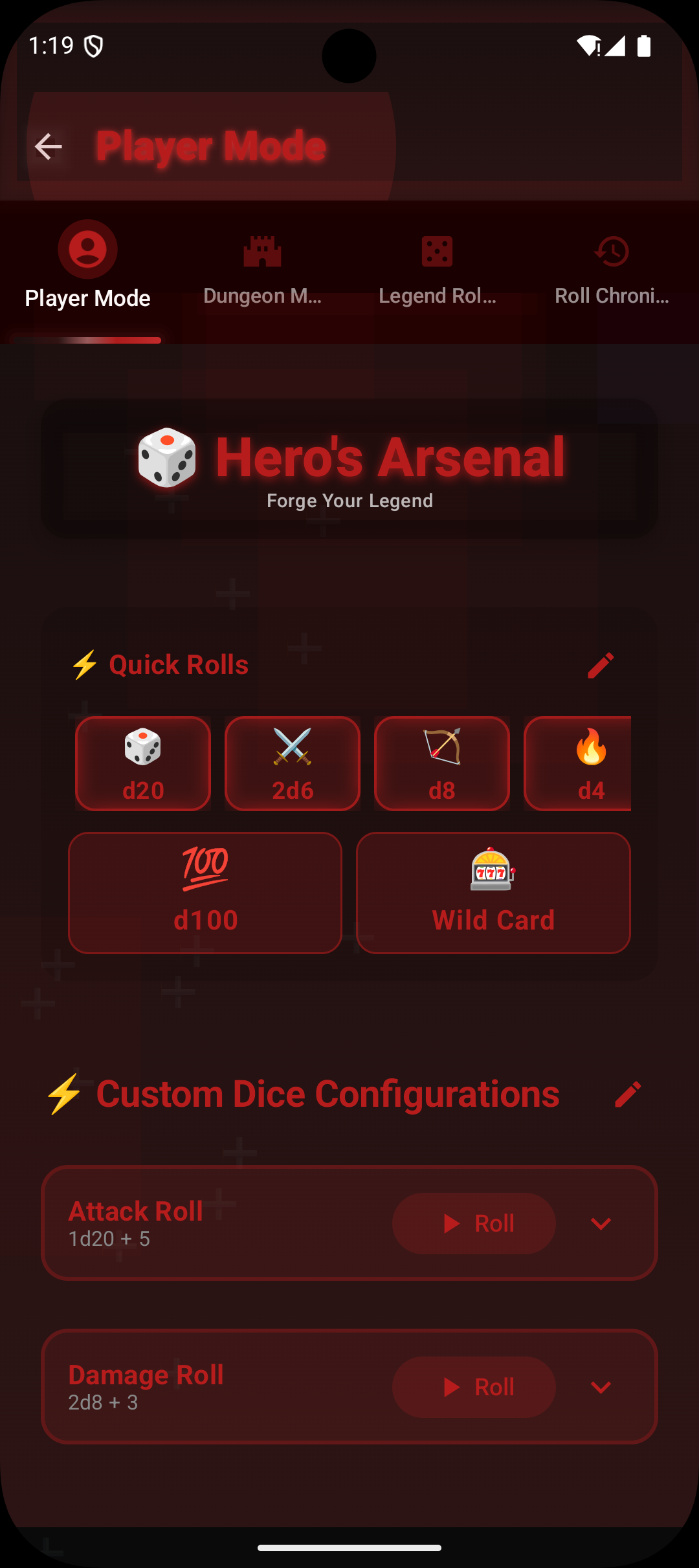
Embark as the "Hero of the Realm," featuring a red theme with heroic dice settings.
Dungeon Master Mode
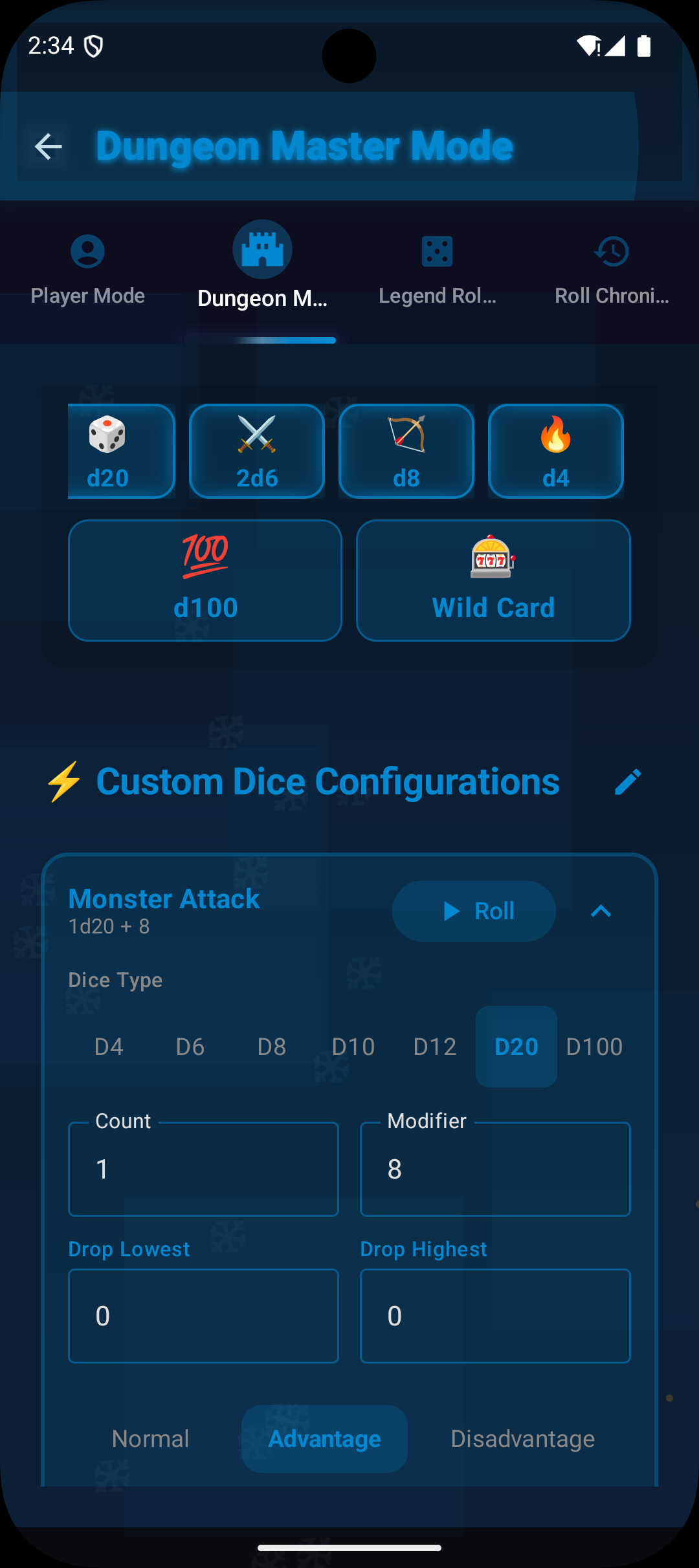
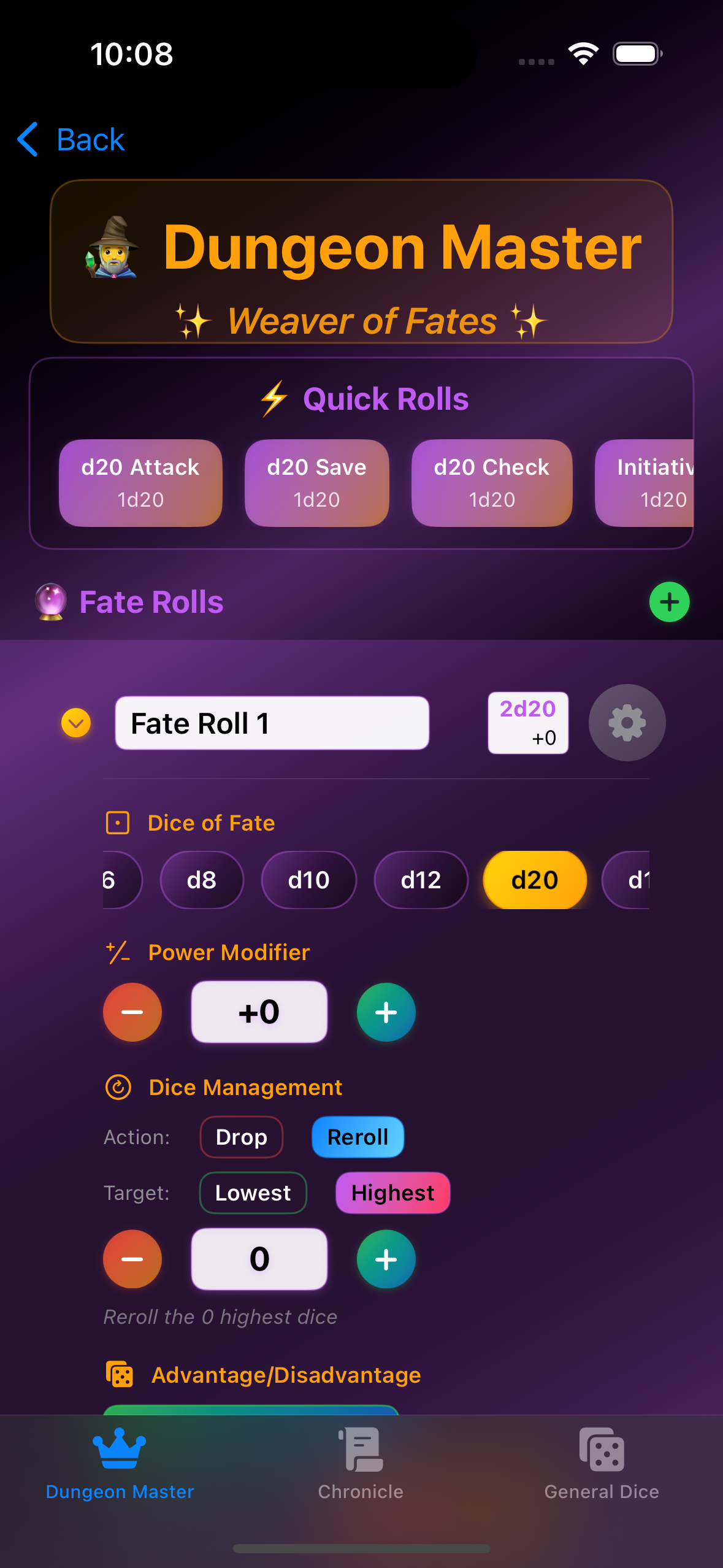
Assume the "Weaver of Fates" role with a purple theme tailored for master storytelling.
General Dice Roller
Quickly access dice rolls without detailed configurations.
Dice Features
Dice Types
d4, d6, d8, d10, d12, d20, d100
Modifiers
Apply global and per-die modifiers to customize roll outcomes.
Dice Management
Implement drop/keep logic by discarding low or high rolls.
User Interface Components
Main Interface
Facilitate quick and custom dice configurations.
Advanced Options
Dive deep with settings for each dice type.
Logs & History
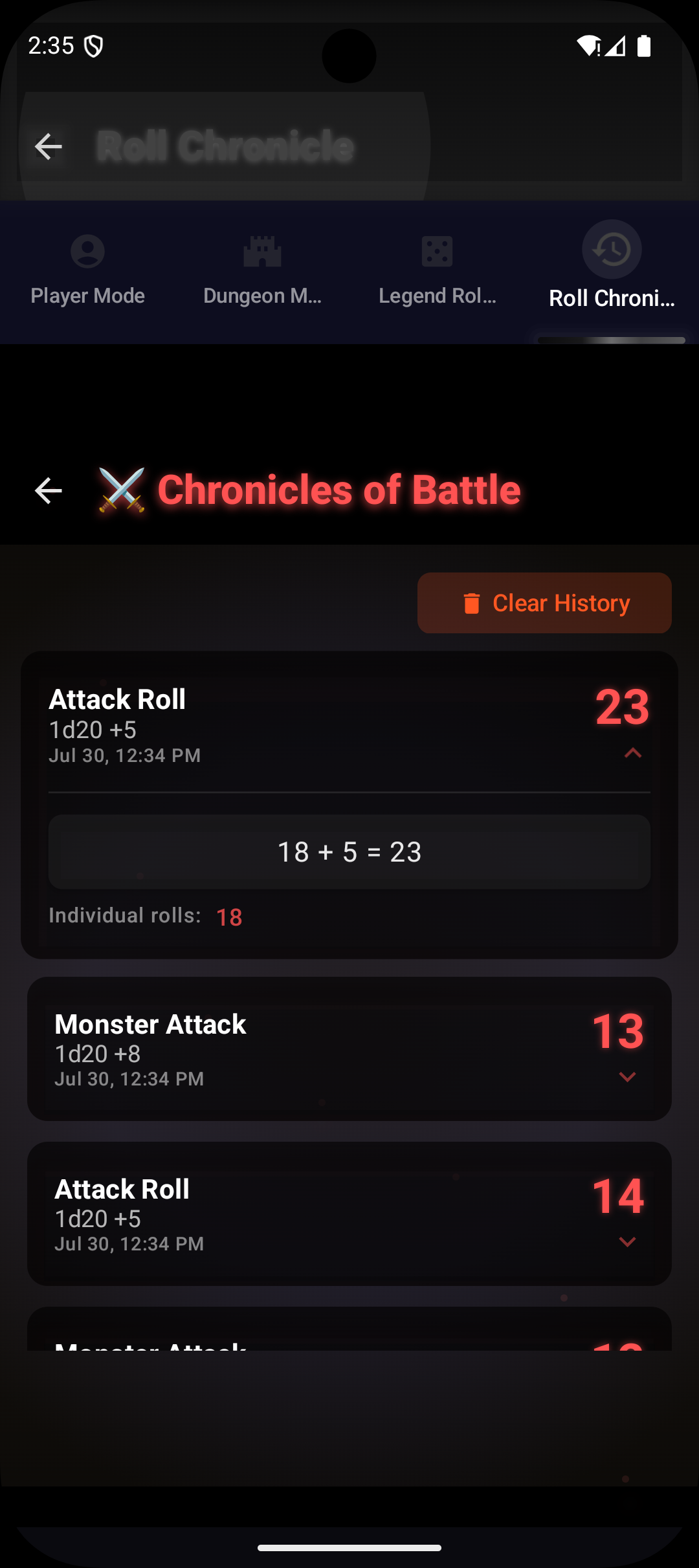
Track previous rolls, view results, and details.
Quick Rolls
Configure quick rolls for recurrent actions such as attacks or checks.
• Icons: Recognizable symbols for quick interaction (e.g., Player mode uses a player icon, DM mode uses a shield icon)
• Sounds: Auditory feedback enhances the roll experience
Legend Roller for iOS
Overview
Legend Roller is a fantasy-inspired iOS dice rolling application built with SwiftUI. Designed for DnD players and Dungeon Masters, it offers an immersive fantasy experience with comprehensive dice rolling capabilities.
Key Features
App Structure
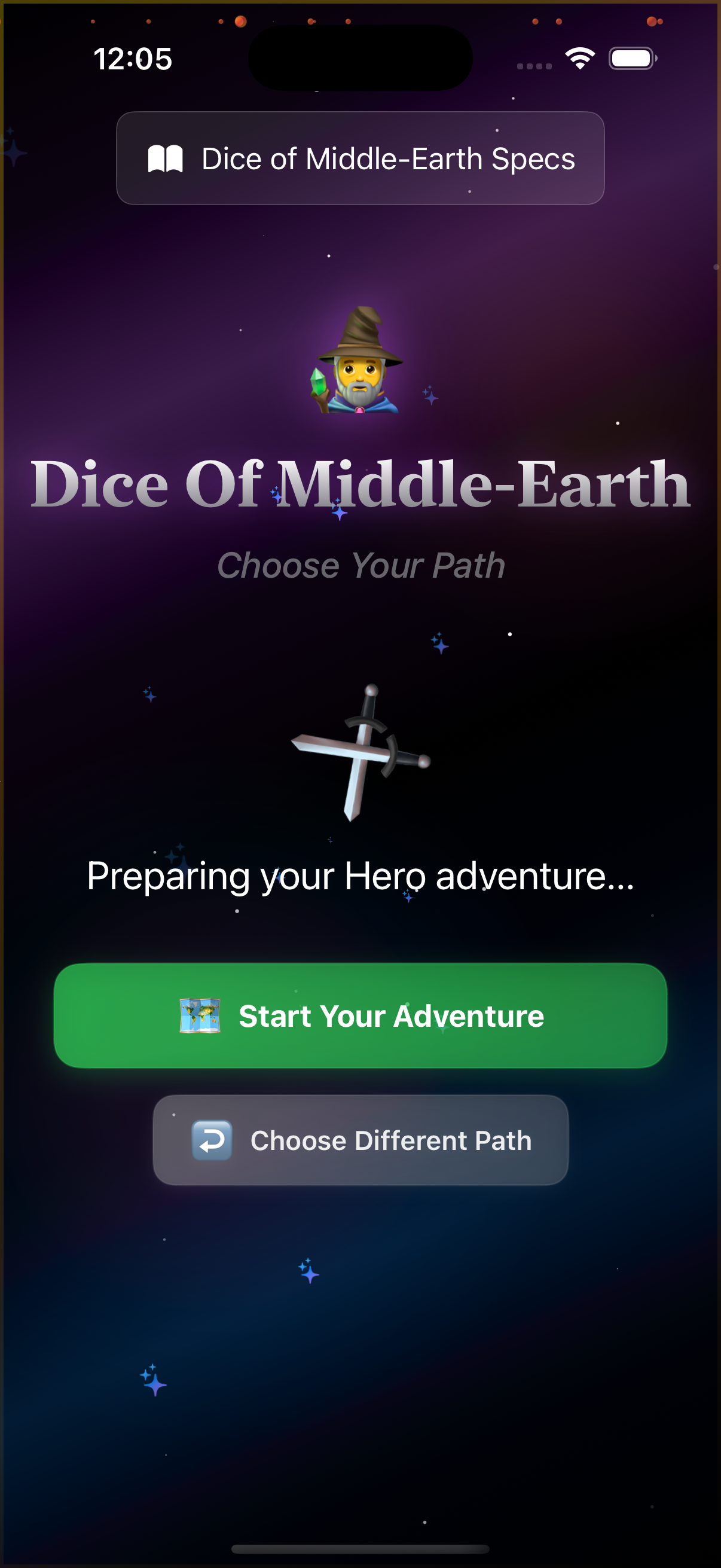
Home Screen
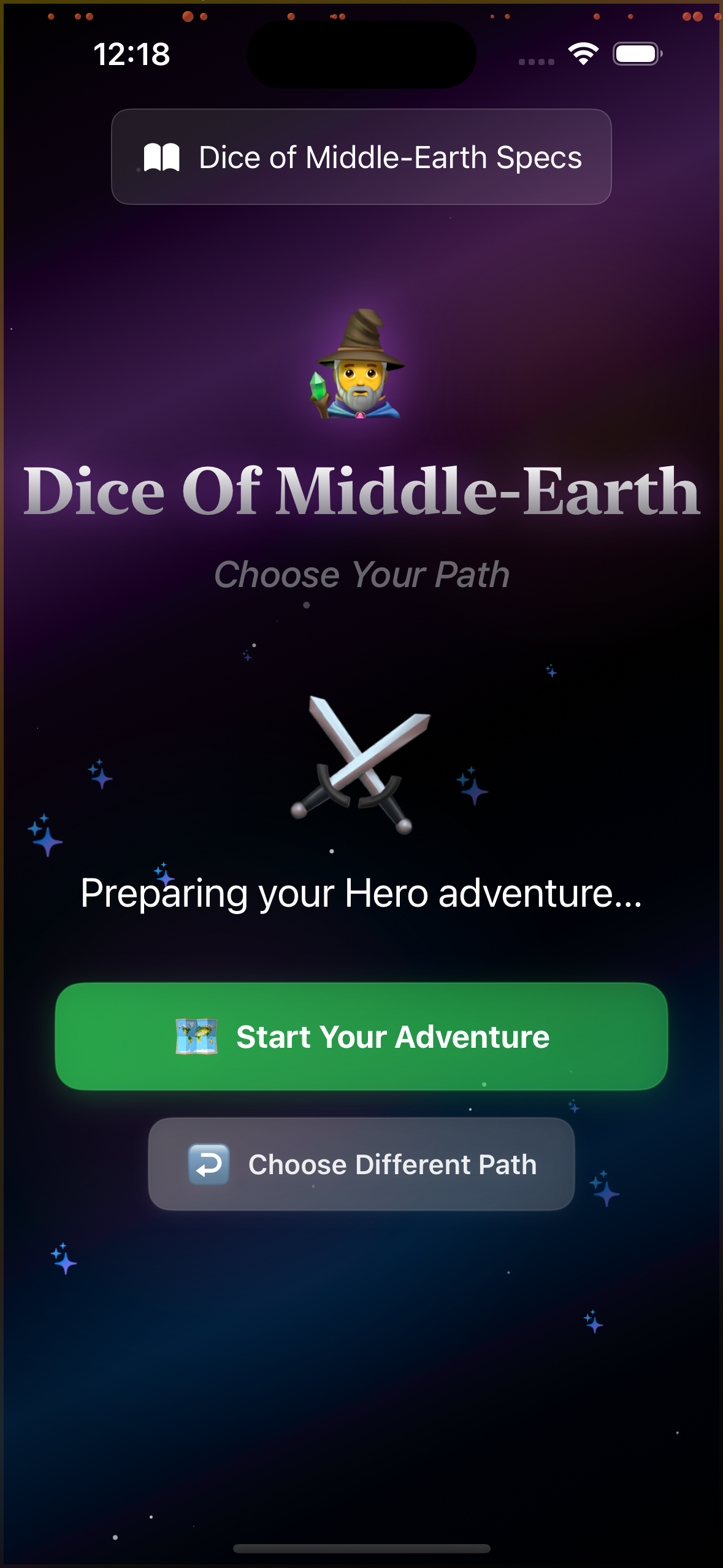
Choose your path: Player or Dungeon Master
Player Mode
Hero-themed dice rolling with customizable slots
Dungeon Master Mode
Advanced mystical interface for campaign management
Roll Chronicle
Complete history of all dice rolls with filtering
Role-Based Experience
Dice System
Standard DnD Dice
d4, d6, d8, d10, d12, d20, d100
Custom Modifiers
-10 to +10 range for each dice
Roll Types
Normal, Advantage, Disadvantage, Damage, Healing, Initiative, Ability Check, Saving Throw, Attack Roll
Animated Rolling
Smooth dice animation with sound-like feedback
Getting Started
Installation
Android Installation
1. Open Google Play on your Android device
2. Search for "Legend Roller"
3. Tap Install to download the app
4. Launch "Legend Roller"
iOS Installation
1. Open the App Store on your iPhone or iPad
2. Search for "Legend Roller"
3. Tap Get to download the app
4. Launch "Legend Roller"
Basic Usage
Choose Your Role
Select between Player (Hero) or Dungeon Master (Weaver of Fates) mode
Configure Dice
Customize dice types, modifiers, and roll configurations
Roll & Track
Roll dice and view results in the comprehensive history log
Pro Tips
• Heroes: Name and organize rolls, use quick rolls for combat speed, update modifiers on level up
• Dungeon Masters: Preload encounter and NPC rolls, roll in view for tension, let dice inspire story twists
• Both: Employ quick rolls to expedite frequent actions and fully leverage role-based settings for tailored gameplay
Completely Customizable
Tailor Every Roll to Your Campaign
Legend Roller gives you complete control over every aspect of your dice rolls. From custom names to complex modifiers, shape your rolling experience to match your campaign's unique requirements and your character's evolving capabilities.
Custom Dice Names
Personalized Roll Identification
Name your dice rolls anything you want - from "Flaming Longsword +2" to "Sneak Attack Damage" or "Fireball (5th Level)". Clear names mean instant recognition during intense combat sequences.
• Character-Specific Names: "Thordak's Rage Attack" or "Elara's Healing Touch"
• Spell Tracking: Include spell level in the name for easy reference
• Situation Markers: "Advantage Attack" vs "Normal Attack" for quick selection
• Equipment Tags: "Bow (Sharpshooter)" to remember active feats
Emoji Support
Add visual flair with icons and clear labels for attacks, saves, spells, and skill checks. Quick visual identification at a glance keeps you in the action.
Advanced Modifiers
Global Modifiers
Apply modifiers that affect all your rolls:
• Bless spell: +1d4 to all attack rolls and saves
• Magic items: +1/+2/+3 weapons or armor
• Inspiration: Advantage on chosen rolls
• Exhaustion penalties: -1 to -5 to checks
Per-Die Modifiers
Customize individual roll calculations:
• Attack rolls: STR/DEX + Proficiency
• Damage rolls: STR/DEX (no proficiency)
• Spell attacks: Spell mod + Proficiency
• Skill checks: Ability + Proficiency (if trained)
Stacking Bonuses
Combine multiple modifiers intelligently:
• Base modifier + Magic weapon + Temporary buff
• Ability score + Proficiency + Expertise
• Damage + Sneak attack + Divine smite
• Attack bonus + Cover penalty + Flanking advantage
Dynamic Updates
Easily update as your character evolves:
• Level up: Increase proficiency bonus
• ASI: Update ability score modifiers
• New gear: Add equipment bonuses
• Temporary effects: Apply/remove buffs
Flexible Dice Configuration
Number of Dice
Configure exactly how many dice to roll for each action. Perfect for scaling spell damage, sneak attack progression, or managing multiple attacks.
• Single Die: 1d20 for attacks, 1d8 for weapon damage
• Multiple Dice: 3d6 for sneak attack, 8d6 for fireball
• Mixed Pools: 2d8+1d6 for special weapon combos
• Scaling Damage: Easy upcast adjustment for spells
Advantage & Disadvantage
Built-in support for DnD 5e's signature mechanic. Roll 2d20 and automatically keep the higher (advantage) or lower (disadvantage) result. No mental math required.
Drop/Keep Logic
Advanced mechanics like "4d6 drop lowest" for ability scores, "Great Weapon Fighting" rerolls, or "Elven Accuracy" (3d20 keep highest).
Customization Pro Tips
• Start Simple: Set up basic rolls first, then add complexity as needed
• Use Clear Names: "Greatsword +5 (Rage)" is better than "Attack 1"
• Update Regularly: Review modifiers after each level up or equipment change
• Test Before Sessions: Verify all rolls work correctly before game night
• Document Complex Rolls: Note why certain modifiers exist for future reference
• Share Configurations: Help other players set up similar characters
Quick Rolls & Macros
Instant Access to Your Most-Used Rolls
Transform your gameplay with one-tap rolling. Quick Rolls eliminate the tedious setup of repeated actions, letting you focus on strategy and storytelling instead of fumbling with dice calculations mid-combat.
What Are Quick Rolls?
Quick Rolls (macros) are pre-configured dice rolls that execute with a single tap. Set them up once, use them hundreds of times throughout your campaign. They're your character's signature moves, ready at a moment's notice.
Before Quick Rolls:
1. Select d20
2. Add STR modifier (+5)
3. Add proficiency (+3)
4. Add weapon bonus (+1)
5. Roll and calculate
~30 seconds per roll
With Quick Rolls:
1. Tap "Longsword +1"
2. See result instantly
—
—
—
~2 seconds per roll
Essential Quick Rolls for Players
Combat Rolls
Primary Weapon Attack
Example: "Longsword Attack"
1d20 + 5 (STR) + 3 (Prof) = +8Primary Weapon Damage
Example: "Longsword Damage"
1d8 + 5 (STR)Ranged Attack
Example: "Shortbow Attack"
1d20 + 4 (DEX) + 3 (Prof) = +7Spell Attack
Example: "Fire Bolt"
1d20 + 6 (Spell) + 3 (Prof) = +9Saving Throws
Primary Saves: DEX, WIS, CON
• "DEX Save" = 1d20+4
• "WIS Save" = 1d20+6
• "CON Save" = 1d20+2
Skill Checks
Top 3-5 Skills: Your specialties
• "Stealth" = 1d20+8 (Expertise)
• "Perception" = 1d20+5
• "Persuasion" = 1d20+7
Utility Rolls
Initiative
1d20 + DEXDeath Save
1d20 (no mods)Hit Dice (Rest)
1d8 + CONDM Quick Rolls
Monster Templates
Set up quick rolls for frequently used monsters to speed up encounters dramatically.
Goblin
Attack: 1d20+4
Damage: 1d6+2
Orc
Attack: 1d20+5
Damage: 1d12+3
Dragon Breath
DC: 17 DEX Save
Damage: 12d6 fire
Random Tables
• Encounter Check: 1d20
• Weather: 1d8
• Loot Quality: 1d100
• NPC Reaction: 2d6
Environmental
• Wandering Monster: 1d6
• Trap Damage: 4d10
• Fall Damage: 1d6 per 10ft
• Random Encounter: 1d12
Advanced Macro Techniques
Advantage/Disadvantage Sets
Create three versions of critical rolls:
• "Attack (Normal)" = 1d20+5
• "Attack (Adv)" = 2d20kh1+5
• "Attack (Dis)" = 2d20kl1+5
Conditional Modifiers
Different versions for buffs/debuffs:
• "Attack (Blessed)" = 1d20+5+1d4
• "Damage (Rage)" = 1d12+5+2
• "Attack (Hexed)" = 1d20+5-1d6
Spell Level Variants
Track spells at different levels:
• "Cure Wounds (1st)" = 1d8+4
• "Cure Wounds (2nd)" = 2d8+4
• "Fireball (3rd)" = 8d6
• "Fireball (5th)" = 10d6
Class Features
Special abilities and features:
• "Sneak Attack" = 3d6
• "Divine Smite (2nd)" = 3d8
• "Superiority Die" = 1d8
• "Bardic Inspiration" = 1d10
Quick Roll Organization Tips
• Naming Convention: Use prefixes like "ATK:", "DMG:", "SAVE:", "CHECK:" for instant sorting
• Priority Order: Most-used rolls at the top, situational rolls below
• Color Coding: Use icons and labels consistently for attacks, defense, spells, and skills
• Session Prep: Test all macros before the game starts to catch errors early
• Regular Cleanup: Delete unused rolls, update outdated modifiers monthly
• Backup Important Setups: Document complex macro configurations outside the app
Time Savings Analysis
15-25 min
Saved per combat encounter
1-2 hours
Saved per 4-hour session
20+ hours
Saved per campaign
Complete Roll Logs
Never Lose Track of Your Destiny
Every natural 20, every critical failure, every clutch save—your complete dice rolling history preserved with timestamps, context, and full breakdowns. Perfect for dispute resolution, campaign chronicling, and reliving those legendary moments.
Comprehensive History Tracking
What Gets Logged
Timestamp
Exact date and time of each roll
Roll Name
What roll was executed
Individual Dice Results
Each die's value before modifiers
Modifiers Applied
All bonuses and penalties
Final Total
Complete calculated result
Roll Type
Attack, damage, save, check, etc.
Critical Indicators
Nat 20s and nat 1s flagged
Context Notes
Optional annotations for important rolls
Example Log Entry
Practical Uses for Roll History
Dispute Resolution
• "Did I already roll that saving throw?"
• "What was my initiative again?"
• "How much damage did that fireball do?"
• Scroll back to verify any contested roll
Statistical Analysis
• Track your average attack roll over time
• Count critical hits vs fumbles ratio
• Identify "hot" and "cold" dice streaks
• Review which saves you fail most often
Campaign Chronicle
• Document legendary rolls for storytelling
• Track character progression through rolls
• Create highlight reels of epic moments
• Share screenshots of amazing results
Error Detection
• Verify modifiers are calculating correctly
• Catch forgotten bonuses or penalties
• Audit rolls after character updates
• Ensure dice configurations are accurate
History Management Features
Filtering
• By roll type
• By date range
• By result value
• Criticals only
Sorting
• Chronological order
• Highest to lowest
• By roll name
• Custom grouping
Export
• Share specific rolls
• Export session logs
• Screenshot results
• Archive campaigns
Session Boundaries
Organize rolls by gaming session for easy review and analysis. Mark session starts/ends to segment your history into manageable chunks.
Legendary Moments Preserved
Your most epic rolls, forever remembered:
That Natural 20
The killing blow on the final boss, timestamped and verified
The Critical Fumble
When you shot your own party member—never live it down
The Clutch Save
Rolled exactly what you needed to survive the dragon's breath
The Maximum Damage
Every die rolled its highest—statistically improbable, eternally awesome
For Real Players & DMs
Built by Tabletop Veterans Who Get It
This isn't just another random number generator coded by someone who's never sat at a gaming table. Legend Roller was designed, developed, and refined by actual Dungeon Masters and players who've survived marathon sessions, TPKs, and the chaos of managing complex encounters. Every feature exists because we needed it ourselves.
Understanding the Table
Player Perspective
We know you need:
• Fast combat rolls when it's your turn
• Quick access to your top 5 actions
• One-handed operation during snack breaks
• Clear results you can announce confidently
• History to verify "Did I already roll that?"
• Updates that don't break mid-campaign
DM Realities
We've been there:
• Frantically rolling for 8 goblins at once
• Forgetting which monster has which modifier
• Needing to re-roll the same encounter next week
• Random table lookups mid-description
• NPC improvisation requiring instant stats
• Managing multiple plot threads and mechanics
Design Decisions Based on Real Play
Why 20 Custom Dice Rows?
Because fighters need main weapon, backup weapon, ranged option, power attack variant, defensive stance, and then damage for each. That's already 10+ configurations.
Why One-Handed Operation?
Your other hand has pizza, character sheet, or is gesturing wildly during roleplay. Two-handed apps don't survive at real tables.
Why Separate Player/DM Modes?
Players need 5-10 reliable rolls. DMs need 50+ variable configurations. One interface can't serve both efficiently.
Features Born from Experience
Pain Points We Solved
Before:
• "Wait, did I add proficiency to that?"
• "Which goblin was this attack for again?"
• "Let me reconfigure this die real quick..."
• "I can't read this in the dark"
• "Did anyone catch what I rolled?"
• Combat takes 2+ hours for 5 rounds
After:
• Modifiers auto-calculate, always correct
• Named rolls with context: "Goblin 3 Attack"
• Quick rolls = tap and done
• Dark mode optimized for game lighting
• History shows every roll clearly
• Same combat: 30-45 minutes
Tested in Real Campaigns
Every feature has survived actual use in weekly games, not just theoretical design sessions.
Continuously Refined
Player feedback from 50,000+ downloads shapes every update and improvement.
Community Driven
Built with input from DMs running Adventurers League, homebrew campaigns, and everything between.
We Understand Your Workflows
Session Prep Flow
DMs typically:
1. Review next session's encounters
2. Set up monster quick rolls
3. Configure random tables
4. Test key NPC rolls
5. Ready trap/environmental damage
Legend Roller: Saves these as reusable templates. Same encounter next month? Your rolls are ready.
Character Level Up Flow
Players need to:
1. Update proficiency bonus
2. Adjust ability score modifiers
3. Add new spell attack rolls
4. Increase class feature damage
5. Update skill check bonuses
Legend Roller: Edit all affected rolls in one maintenance session. Done in 5 minutes.
Stories from Our Own Tables
"We built the app we wished we had when running our first campaign."
The 12-Goblin Encounter
DM needed to roll initiative, attacks, and damage for a dozen enemies. Quick rolls turned a 20-minute slog into a 5-minute encounter. That's when we knew we had to build this properly.
The Forgotten Modifier
Player forgot their Bless bonus for an entire session. Next week, they configured a "Blessed Attack" quick roll. Never forgot again. That's the power of good tools.
Dark Mode by Default
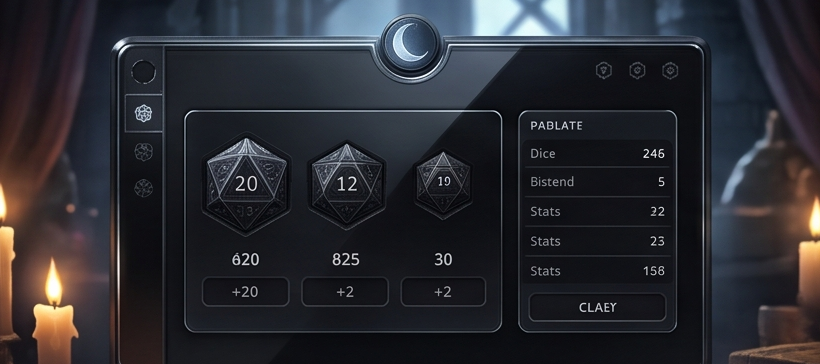
Designed for Dimly Lit Game Rooms
Gaming happens in atmospheric lighting—candles flickering, lamps dimmed, ambiance set for epic storytelling. Your dice roller shouldn't blast everyone's eyes with white screens. Legend Roller embraces the darkness with a beautiful, functional dark interface optimized for low-light environments and extended play sessions.
Why Dark Mode Matters
Eye Strain Reduction
4-hour sessions demand comfort:
• Reduced eye fatigue during marathon games
• Less squinting in atmospheric lighting
• Prevents screen-induced headaches
• Comfortable for players with light sensitivity
• Better sleep after late-night sessions
Atmosphere Preservation
Don't break immersion:
• Bright screens kill carefully crafted mood
• Dark UI blends into your setup
• Supports candlelit dungeon crawls
• Won't illuminate entire room
• Respects your DM's lighting choices
Battery Life Extension
Mobile gaming reality:
• OLED screens use less power with dark pixels
• Sessions last longer on single charge
• Reduces heat generation
• Perfect for convention all-day gaming
• Less dependency on chargers mid-session
Screen Readability
Clarity where it counts:
• High contrast text on dark backgrounds
• Critical numbers pop visually
• Reduces glare in various lighting
• Easy to read at arm's length
• Color-coded elements stay distinct
Thoughtful Dark Design
Not Just "Dark" – Optimized Dark
We didn't just invert colors. Every element was carefully designed for dark mode from the ground up.
Color Palette
• Pure black (#000) backgrounds
• Red accent theme for Player Mode
• Purple mystical theme for DM Mode
• Carefully chosen text contrast ratios
• Accessibility-compliant color choices
Visual Hierarchy
• Critical results: High contrast white
• Roll names: Medium gray
• Modifiers: Subtle color hints
• Borders: Dark red/purple glow
• Backgrounds: Layered depth
UI Elements
• Buttons: Dark with red/purple tint
• Icons: Dice SVGs in theme colors
• Cards: Subtle gradient overlays
• Animations: Smooth, non-jarring
• Transitions: Eye-friendly fades
Player Mode: Heroic Red on Black
Bold red accents represent courage and action. Results pop against deep black.
DM Mode: Mystical Purple on Black
Purple conveys wisdom and control. Perfect for the Weaver of Fates.
Perfect for Every Gaming Environment
Candlelit Sessions
Dark interface won't overpower gentle candlelight. Your phone becomes part of the ambiance.
Late Night Gaming
Those 11pm-3am sessions won't wreck your sleep schedule. Dark mode is gentle on circadian rhythm.
Convention Halls
Variable lighting at cons? Dark mode handles everything from bright halls to dimmed game rooms.
Your Eyes Will Thank You
Gaming should be comfortable, not exhausting. Dark mode isn't optional—it's essential.
Light Mode Reality:
Bright screen in dark room = eye strain, headaches, disrupted sleep, atmosphere breaking, battery drain
Dark Mode Benefits:
Comfortable viewing, extended sessions, preserved ambiance, better battery, healthier eyes
Lightning Fast Rolling
No Fumbling While Your Party Waits
When combat starts, every second counts. Your party shouldn't wait 30 seconds while you configure dice. Legend Roller is engineered for speed—one-handed operation, instant results, 20 custom rows ready to roll. Your turn? Done in 2 seconds.
Speed-Optimized Design
One-Handed Operation
Your other hand is busy:
• Holding character sheet
• Eating pizza or snacks
• Gesturing during roleplay
• Taking notes
• Managing miniatures
Design: All critical buttons within thumb reach. Tap to roll, swipe to scroll. That's it.
Large Touch Targets
No mis-taps under pressure:
• Buttons sized for accuracy
• Adequate spacing prevents errors
• Works with gloves (cold game rooms)
• Accessibility-friendly sizing
• Tap once, roll once—reliable
Instant Results
Zero lag, pure speed:
• Results appear in milliseconds
• No loading or buffering
• Animations fast enough to feel responsive
• Calculations complete instantly
• Announce and move on immediately
20 Custom Dice Rows
Everything pre-configured:
• All your common rolls visible
• No scrolling through menus
• Tap the roll you need
• Done before others finish their turn
• DMs: Manage dozens of NPCs efficiently
Combat Flow Optimization
Typical Combat Round: Before vs After
Traditional Dice Rolling
Player 1's Turn (Fighter):
1. Find physical d20 (5 seconds)
2. Roll attack (5 seconds)
3. Calculate modifiers (10 seconds)
4. Announce total (2 seconds)
5. DM confirms hit
6. Find damage dice (5 seconds)
7. Roll damage (5 seconds)
8. Calculate (5 seconds)
9. Announce (2 seconds)
Total: ~39 seconds
Legend Roller Speed
Player 1's Turn (Fighter):
1. Tap "Longsword Attack" (1 second)
2. See result: 23 (instant)
3. Announce: "23 to hit" (1 second)
4. DM confirms hit
5. Tap "Longsword Damage" (1 second)
6. See result: 11 (instant)
7. Announce: "11 damage" (1 second)
—
—
Total: ~4 seconds
Advanced Speed Features
Gesture Controls
• Swipe up/down to scroll dice rows
• Long-press for quick edit
• Pull-to-refresh history
• Tap-and-hold for advantage variant
• Intuitive, no learning curve
Smart Defaults
• Last-used roll highlighted
• Favorite rolls stay at top
• Auto-save all configurations
• Return to exact state after app close
• Zero setup time at session start
Batch Rolling for DMs
Need to roll initiative for 8 goblins? Configure once, roll multiple times instantly.
Goblin 1 Initiative: 14
Goblin 2 Initiative: 8
Goblin 3 Initiative: 17
Goblin 4 Initiative: 12
...tap, tap, tap, done in 10 seconds
Performance Under Pressure
Tense Moments
Death saves, clutch attacks, final blows—when stakes are high, speed matters. Fast rolls keep tension building instead of deflating.
Large Combats
10+ combatants? Other apps slow to a crawl. Legend Roller handles massive encounters without breaking a sweat.
Marathon Sessions
Hour 4 of your session, everyone's tired—simple, fast rolls keep the game moving when energy dips.
Time is Your Most Valuable Resource
Every second spent fumbling with dice is a second stolen from storytelling, tactics, and fun.
2 sec
Average time per roll
90%
Faster than traditional dice
0
Learning curve—it just works
Stop waiting. Start playing. Lightning fast rolling means more epic moments per session.
Support & Contact
Need Help?
For support, contact our development team. We're here to help you master your adventures!
Let the games begin!